
We are excited to announce a significant evolution of the Intelligence Feed Fast Feedback options.
1. Feedback vs. Adding to List : What’s Changed?
We’ve split your feedback options into two distinct categories to better align with your intent.
Simplified Feedback Options
The feedback component now focuses exclusively on how you feel about an insight. We’ve cleared the clutter to keep you focused on quality.
-
New Options: You can now react using Like, Dislike, or Bullseye.
-
Previous Options: Previous options such as "Add to Action List" or "Hidden" have been moved to the new Add To List.
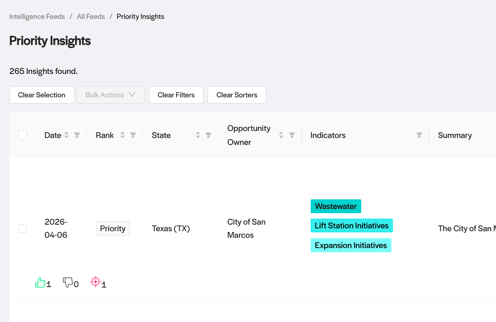
Simplified Feedback Options
The New "Add to List" Feature
Organization is now a dedicated experience. You will find the new Add To List Feature available across all insight tables and Single Opportunity views.
-
Team-Level Collaboration: Lists are currently team-based. Anyone on your team can view, add, or modify opportunities within a list, making it easy to stay synced on priority leads.
-
CRM Syncing: If your team has CRM syncing enabled, please continue to use the Bulk Actions component for this workflow. Syncing directly from the List component will be supported in a future update.
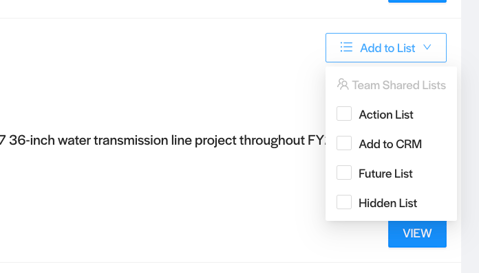
Add to List Feature
2. Enhanced Navigation
We’ve introduced a dedicated navigation path to make managing your Action Lists faster and easier.
-
"All Lists" Overview: Access a high-level view of every list your team has created at the new
/intfeeds/all_listsdestination. -
Single List Drill-Down: Click into any specific list to see a filtered view of the opportunities within it.
-
Updated "All Feedback" Page: This page has been cleaned up to show only rows for Like, Dislike, and Bullseye reactions, keeping your sentiment data separate from your organization folders.
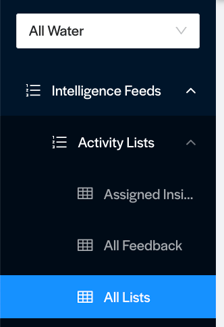
Enhanced Navigation - All Lists